AI Interior Design Tips: Get the Best Room Redesign Results
Practical tips for getting stunning AI room redesigns. From taking the perfect room photo to choosing styles and shopping the results — everything you need to know.
By Roomellow Team
AI room design tools can produce incredible results — but the quality of your output depends heavily on what you put in. After thousands of room redesigns on Roomellow, we've learned exactly what makes the difference between an "okay" result and a jaw-dropping transformation.
Here are our best tips for getting the most out of AI interior design.
Tip 1: Take the Right Photo
Your room photo is the foundation of everything. A great photo leads to a great redesign. A blurry, dark, or oddly angled photo leads to... well, you can guess.
Do This
- Shoot during the day with natural light streaming in
- Stand in a corner to capture two walls and the floor
- Hold the camera at chest height (not overhead, not floor level)
- Include the full room — floor to ceiling, wall to wall
- Keep it steady — lean against a wall or use a timer if needed
Avoid This
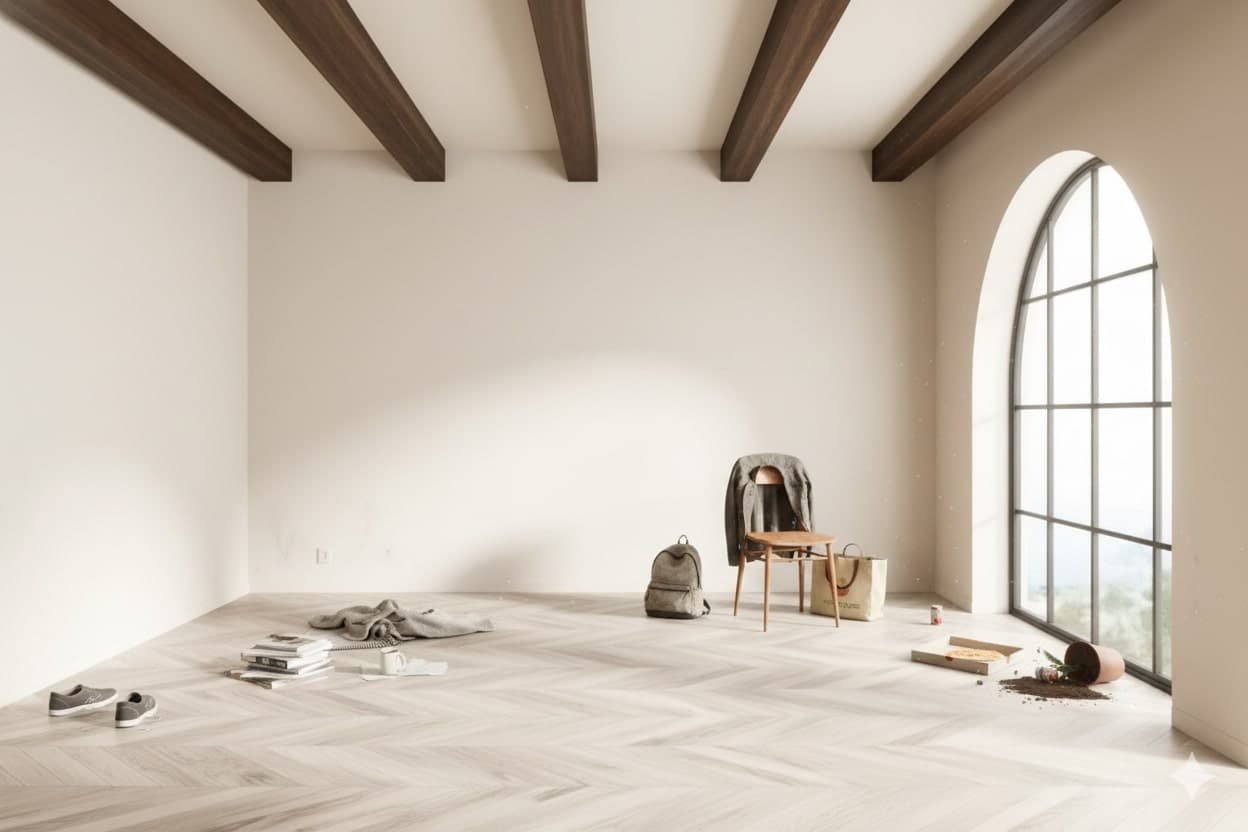
- Flash photography — it creates harsh shadows and washes out colors
- Extreme close-ups — the AI needs context to understand the room
- Heavy filters — shoot in natural color, no Instagram filters
- Mirrors in frame — they confuse the AI with reflections
- Too much clutter — a few items are fine, but clear surfaces work best
The difference between a good and great photo is often just lighting and angle. Natural light from a window + shooting from a corner = best results.
Tip 2: Choose the Right Style for Your Space
Not every style works in every room. Here's a quick guide to matching styles with spaces:
Living Room
Best styles: Modern, Scandinavian, Mid-Century Modern
Living rooms are usually the largest space and benefit from styles that fill the room without overwhelming it. Modern and Scandinavian styles work especially well because they balance open space with comfortable furniture.
Bedroom
Best styles: Minimalist, Scandinavian, Bohemian
Bedrooms should feel restful. Minimalist and Scandinavian styles create calm, uncluttered sleeping environments. Bohemian adds warmth and coziness with layered textiles.
Home Office
Best styles: Modern, Minimalist
Offices need to be functional first. Modern and Minimalist styles keep the focus on productivity with clean lines and minimal visual distraction.
Dining Room
Best styles: Mid-Century Modern, Farmhouse, Scandinavian
Dining rooms are social spaces. Mid-Century and Farmhouse styles create warm, inviting environments that encourage people to linger at the table.
Tip 3: Use Custom Instructions Wisely
Most people just pick a style and hit generate. But adding custom instructions can dramatically improve your results.
Good Custom Instructions
- "Warm modern with wood accents and a statement floor lamp"
- "Scandinavian but with pops of terracotta and green plants"
- "Minimalist bedroom with a cozy reading nook by the window"
- "Keep the existing bookshelf, replace everything else"
Not-So-Helpful Instructions
- "Make it nice" (too vague)
- "I want it to look like a Restoration Hardware catalog" (too specific to a brand)
- "Change the wall color to exactly Farrow & Ball Hague Blue #30" (AI works with furniture, not paint)
The sweet spot is specific about the feel, flexible about the details. Tell the AI what atmosphere you want, and let it select the products that create it.
Tip 4: Try Multiple Styles — It's Free (and Fast)
One of the biggest advantages of AI room design over traditional design is speed. A human designer takes days to create one concept. AI takes seconds.
Use this to your advantage:
- Start broad — try 3-4 completely different styles
- Compare — look at all results side by side
- Narrow down — pick your favorite and try variations
- Refine — add custom instructions to fine-tune
You might think you want Modern, but discover that Scandinavian actually works better in your space. You won't know until you see it.
Tip 5: Pay Attention to the Product Panel
After every redesign, Roomellow shows a "Shop the Look" panel with every product used in the image. This is where the magic happens.
What to Look For
- Price range — Does the total fit your budget? You can try different styles to find more affordable options
- Dimensions — Check product specs against your room measurements
- Materials — Click through to the retailer to verify quality
- Reviews — Real products means real reviews from real buyers
Pro Move: Mix and Match
You don't have to buy everything from one design. See a sofa you love from one redesign and a coffee table from another? Buy them separately. The individual products work in your room because the AI already verified they fit the space.
Tip 6: Iterate, Don't Settle
Your first redesign is a starting point, not a final answer. The best results come from iteration:
- First try: Pick a style, see what happens
- Second try: Same style, add custom instructions based on what you liked/didn't like
- Third try: Fine-tune with specific requests ("larger rug," "warmer lighting," "add plants")
Each iteration costs just one credit and takes under a minute. By the third try, you'll have something that feels tailored to your exact taste.
Tip 7: Consider Your Budget
AI room design lets you explore styles across different price points. Here's how to use this strategically:
On a Budget
- Try styles that rely on fewer, simpler pieces (Minimalist, Scandinavian)
- Look for stores with accessible pricing
- Focus on 1-2 statement pieces and keep the rest simple
Mid-Range
- Most styles work well at mid-range budgets
- Mix premium statement pieces with affordable basics
- Pay attention to the total in the Shop the Look panel
No Budget Limit
- Try styles that benefit from premium materials (Quiet Luxury, Mid-Century Modern)
- Focus on quality and craftsmanship over quantity
- Look for pieces that will age well
Common Mistakes to Avoid
Mistake: Shooting your room at night with artificial lighting Fix: Wait for daylight. The AI reads your room better with natural light.
Mistake: Only trying one style Fix: Try at least 3 styles. The results might surprise you.
Mistake: Ignoring the product dimensions Fix: Always check dimensions on the retailer's site before buying. AI understands proportions well, but always verify.
Mistake: Trying to match an exact Pinterest photo Fix: Use AI design for inspiration in YOUR room. Your space is unique — embrace the result that works for your layout.
Mistake: Not reading product reviews Fix: Every product in Roomellow designs is real. Click through and read reviews before purchasing.
The Bottom Line
AI interior design is a tool — and like any tool, it works best when you know how to use it. Start with a great photo, experiment with styles, use custom instructions, and pay attention to the products panel. In 10 minutes, you'll have more design ideas for your room than a week of browsing Pinterest.
Ready to redesign your room?
Upload a photo of your room and get a professional AI redesign with real furniture you can buy. Free to try — no credit card required.
Try Roomellow freeMore Resources
- How to Redesign Your Room with AI — Complete beginner's guide
- Interior Design Trends 2026 — See what's trending this year