Sell the Whole Room, Not Just the Sofa: How Furniture Stores Raise Average Order Value
Shoppers furnishing a room need several pieces but often buy one. Six ways furniture stores raise average order value with room merchandising, bundles and shop-the-look.
By Afroja Akter / Founder, Roomellow
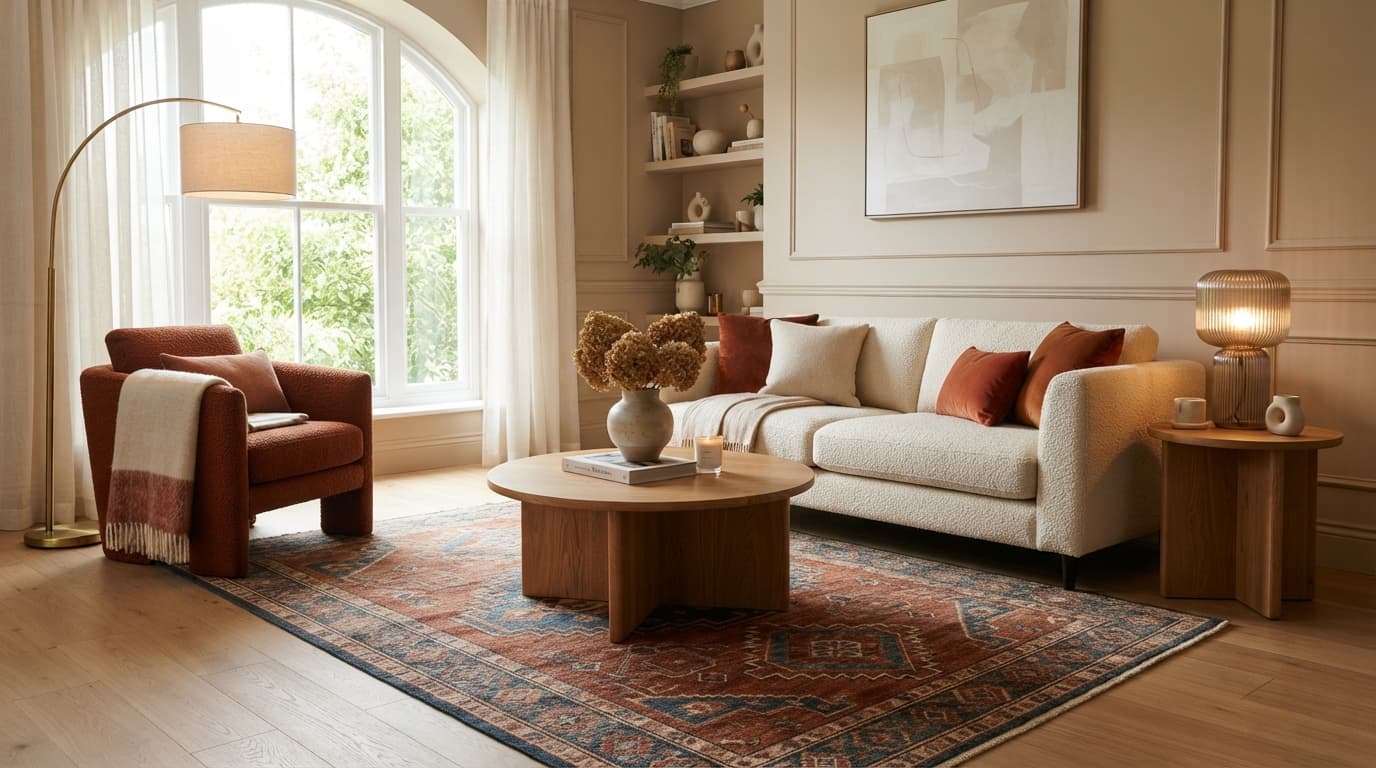
Nobody furnishes a living room with just a sofa. They need a rug, a coffee table, a lamp, maybe a chair and a side table. In your showroom, the sales team walks them through all of it. Online, too many shoppers buy the one piece they came for and go somewhere else for the rest.
That gap is the biggest lever on your average order value. For reference, the median order at Shopify home and furniture stores was $211 in Littledata's October 2026 benchmark, with a median conversion rate of 1.0%. Whatever your own numbers are, selling the second and third piece to a shopper who already trusts you is easier than finding a new one.
Why Shoppers Stop at One Piece
The shopper usually wants the rest of the room. Three things get in the way:
- They can't tell whether pieces go together. Will this rug work with that sofa? Is the coffee table too big? Shoppers go looking for help: in a 2025 Provoke Insights study cited in Shopify's guide to furniture ecommerce, 45% of furniture shoppers had used 360-degree product views and 38% had used room visualization tools. Picturing one piece in your home is hard; picturing three together is harder.
- Every extra piece is another decision. Choosing one sofa is tiring enough. Research on online shoppers links too many choices to decision fatigue, and decision fatigue to abandoned carts.
- Product pages are built around one item. A sofa page shows the sofa and maybe a row of other sofas. Nothing on it says "here's the rug and lamp that finish this room."
Each fix below takes one of these away.
6 Ways to Sell the Whole Room
1. Merchandise rooms, not just categories
Your site navigation probably says Sofas, Tables, Rugs, Lighting. Shoppers think in rooms: "a cozy living room," "a small dining room," "a calm bedroom." Add room pages that show a complete, styled room with every piece shoppable from one place. It's the online version of a showroom vignette, and it does the same job: it shows pieces that already go together.
2. Make every room scene shoppable
If you've invested in lifestyle photos, every product in them should be clickable. A shopper who loves the whole scene shouldn't have to hunt through four categories to find the lamp in the corner. A simple list of "pieces in this photo" under each room image works too.
3. Recommend for the room, not just the category
"Customers also viewed" usually shows more sofas to someone who has already chosen one. Better recommendations complete the room: the coffee table that suits the sofa's height and style, the rug sized for it, the side table in a matching wood. Recommendations matter. In a Salesforce study of about 150 million shopping sessions in 2017, only 7% of visitors clicked a recommendation, but those shoppers accounted for 26% of revenue. It's older data and covers all of retail, so test it on your own store, but it shows how much a good recommendation can carry.
4. Offer room bundles
Curate sets that work: a sofa, coffee table and rug, or a bed, two nightstands and a dresser. A bundle takes the coordination problem off the shopper's plate entirely. You don't need a deep discount; the main value of a bundle is the confidence that the pieces belong together. A modest saving or a delivery perk is usually enough.
5. Use delivery as the reason to add more
For bulky furniture, delivery is a real cost for you and a real worry for the shopper. Put it to work: one white-glove delivery for the whole room, or free delivery above a threshold that a second piece reaches. "Everything arrives together, in one visit" is a genuine benefit, and it costs you less than two separate deliveries.
6. Let shoppers see the whole room in their own space
The biggest reason shoppers stop at one piece is that they can't picture the full room. Room pages and bundles show your room. The shopper wants to see theirs.
That's what Roomellow is built for. A shopper uploads a photo of their room, and Roomellow renders it furnished with a complete, coordinated set of your real products: the sofa, the rug, the coffee table, the lighting. Next to the image, a "Shop the Look" list shows every piece in the room with its price, and each one links to your own product page. Shoppers can swap any piece for another of your products and see the room again. The sale stays with you, and the shopper sees the whole room before they buy.
What to Measure
Track these against your own baseline, before and after each change:
- Average order value, overall and for orders that include a large piece.
- Items per order.
- Attach rate: the share of sofa (or bed, or dining table) orders that also include a rug, table or lighting.
- Bundle uptake: how often shoppers pick a bundle over single items.
One caution while you're at it: be skeptical of the cross-selling statistics that circulate online. Several of the most quoted ones, such as the claim that 35% of a giant retailer's revenue comes from recommendations, can't be traced to a published source. Your own before-and-after numbers are worth more than any of them.
See Your Whole Room in Shoppers' Spaces
Roomellow works with Shopify and other store platforms, and starts from the product photos you already have. Watch the short walkthrough, read how it works for retailers, or book a demo and we'll show it with your catalog.
Further Reading
See it with your own products
Shoppers upload a photo of their room, see your products in it, and buy from your store. We'll show you how it would work with your catalog.