The Best Room Visualizer Apps of 2026
A no-fluff ranking of the best room visualizer apps in 2026 — what each one is actually good at, where the gaps are, and which to use for which job.
By Roomellow Team
The "best room visualizer apps" lists you find on most sites read like they were written by someone who hasn't used the tools. They give every app five stars and tell you each one is "an excellent choice for your home design needs." Useless.
This guide ranks the tools by what they're actually good at, the jobs they fit, and where they fall apart. Eleven tools in five categories. By the end you should know which one to use for your specific situation.
How we organized this
The room visualizer space breaks into five real categories, not one. Tools in different categories aren't competing with each other — they're solving different problems:
- AI room design with real products — see your actual room redesigned with real, purchasable furniture
- Single-retailer AR apps — see one specific store's furniture in your room
- 3D floor planners — confirm spatial fit before buying anything
- Human-designer services — pay someone to drive the whole project
- AI mood boards / inspiration — generate aesthetic ideas (not shoppable)
Pick the category that matches your job, then pick the tool inside it.
Category 1: AI room design with real products
The job: You want to see your actual room redesigned with real furniture you can actually buy, fast enough to iterate.
Roomellow
Free tier + credit packs from $4.99. Web. iOS app.
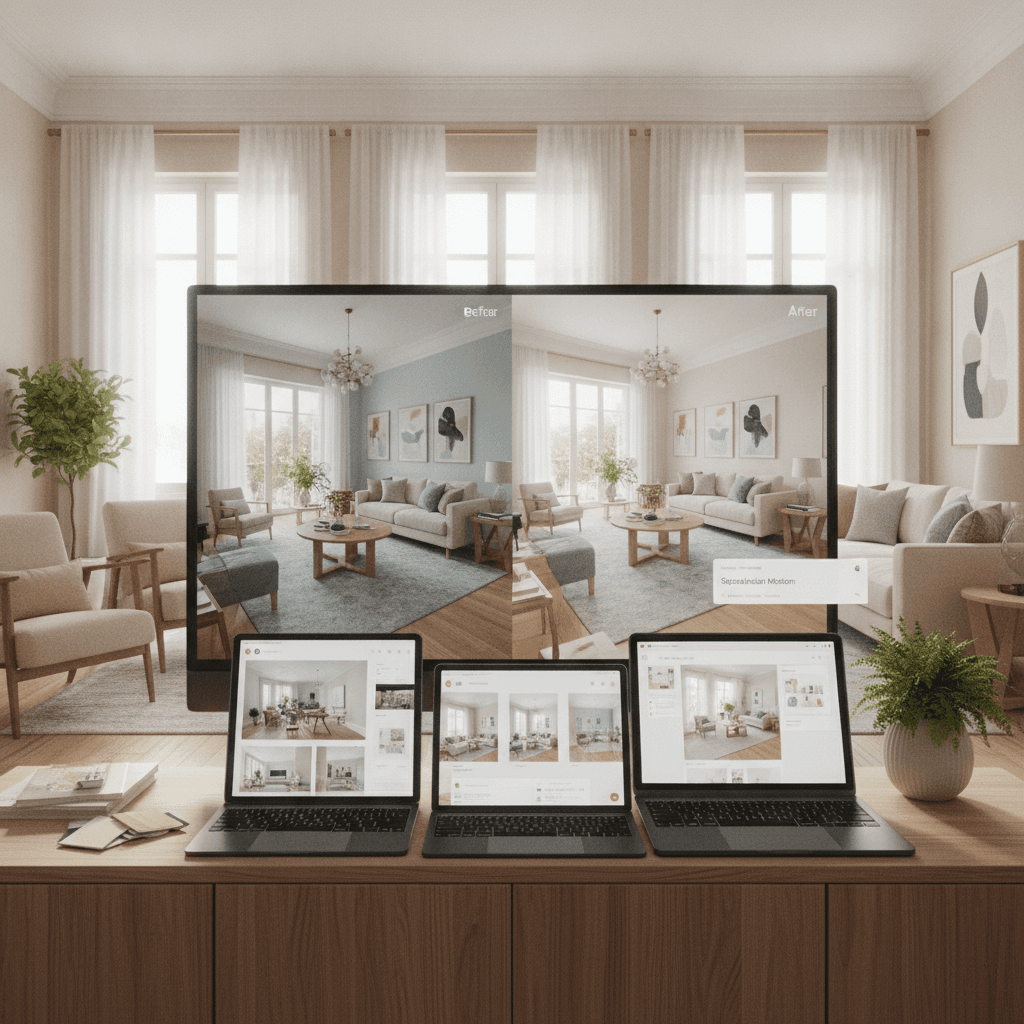
The newest and broadest in this category. You upload a photo of your room, pick a style or describe what you want, and the AI renders a redesigned version using real products from 27 stores in its catalog (Floyd, Maiden Home, Joybird, The Citizenry, Lulu and Georgia, Inside Weather, IKEA, plus regional retailers). 40,000+ real SKUs in the catalog total.
Strongest at: Mixing products from multiple stores in a single design. Fast iteration — swap any piece, regenerate in seconds. Photorealistic renderings of your actual room, not 3D approximations.
Weakest at: Spatial precision (use a 3D planner alongside if you need to confirm sizing). Coverage of stores without public APIs — West Elm, Crate & Barrel, Pottery Barn, RH aren't in the catalog because they don't expose one. Maximalist or niche aesthetic styles work less well than mid-century / modern / minimalist.
Use it when: You want to see what a sectional from Joybird, a rug from The Citizenry, and a coffee table from World Interiors look like together in your living room before you decide.
IKEA Kreativ
Free. iOS / Android (built into the IKEA app).
IKEA's in-app room visualizer. Scan your room, "erase" existing furniture, place IKEA products in.
Strongest at: Quality of the IKEA-specific experience. The room scanning works well. If you've already decided you're going to furnish from IKEA, this is the best tool for that path.
Weakest at: Only IKEA. If you want to see what an IKEA bookshelf looks like next to a non-IKEA sofa, you can't.
Use it when: You're an IKEA household and just need to figure out which IKEA products fit.
MeltFlex AI
Free tier (watermarked) + subscriptions ~$22–$90/mo. Web. iOS / Android.
The broadest tool in this category by feature count — it redesigns rooms but also does floor-plan-to-3D, exteriors, gardens, and real-estate staging. It pulls shoppable furniture from mass retailers (IKEA, Amazon, Wayfair, Pottery Barn, Ashley).
Strongest at: Range. If you want one tool for rooms and floor plans and a backyard, nothing else here covers that spread.
Weakest at: What "shoppable" actually means. MeltFlex generates the room first, then matches the furniture to similar-looking products afterward — it even markets a "dupes" method for finding cheaper lookalikes. So the piece in the render and the piece in the buy link resemble each other rather than being the same SKU. (For the difference, see our MeltFlex alternative guide.)
Use it when: You're working on a floor-plan or renovation project, or you're specifically hunting for budget dupes.
Modsy (RIP)
Closed 2023.
Mentioning it because it was the original — and because a lot of "best room visualizer" articles still list it. It's not coming back. The replacement category (AI design with real products) didn't really exist when Modsy operated; it does now. (See our Modsy alternatives guide.)
Category 2: Single-retailer AR apps
The job: You want to see one specific product in your room before buying. Place it, look at it through your phone, decide.
IKEA Place
Free. iOS / Android.
Drop an IKEA product into your room via AR. Walk around it. See if it fits.
Strongest at: Quick sanity check on a specific IKEA item.
Weakest at: Just one product at a time. No design vision.
Wayfair (View in Your Room)
Free. iOS / Android.
Same idea as IKEA Place but with Wayfair's much larger catalog.
Strongest at: Variety — Wayfair's catalog is enormous.
Weakest at: Render quality varies wildly across products. Some look real; some look like obvious stickers pasted onto your room photo.
Amazon (AR View)
Free. iOS / Android (in the Amazon app).
Place Amazon products in your room. Includes Amazon's furniture brands.
Strongest at: Convenience if you were going to buy on Amazon anyway.
Weakest at: Furniture catalog quality is uneven. Better for smaller items.
West Elm, Pottery Barn, Crate & Barrel, RH apps
Each of these has its own AR feature in its own app. Same idea as IKEA Place.
Use these when: You've narrowed down to one brand and want to confirm a specific product before ordering.
Category 3: 3D floor planners
The job: You want to confirm spatial fit — that the sectional actually fits between the two walls, that the dining table doesn't crowd the path to the kitchen.
Planner 5D
Free with paid upgrades. Web / iOS / Android.
The most popular 3D floor planner. Build a 2D floor plan, switch to 3D, drop furniture in. Renders are computer-graphics-style rather than photorealistic — not pretty, but accurate.
Strongest at: Precise measurements. Lots of furniture models. Multi-room planning. Lets you actually design floor plans, not just rooms.
Weakest at: The furniture is stock 3D models, not real SKUs from real stores. You can't buy what you see directly. Renders look like CAD, not photographs.
Use it when: You need to confirm a specific layout before committing to a furniture order.
HomeByMe
Free with paid upgrades. Web.
Similar to Planner 5D but with photorealistic renderings (slower to generate, prettier output).
Strongest at: Quality of the final 3D rendering once it's done. Some real-brand furniture (mostly from European retailers).
Weakest at: The renderings take time to generate (often minutes to hours for high-quality output). Less responsive iteration than Planner 5D.
Roomstyler
Free. Web.
The "casual" 3D room planner. Easier to learn than Planner 5D, with a furniture library that includes some real brands.
Strongest at: Beginner-friendly. Quick layout sketches.
Weakest at: Less detail and fewer features than Planner 5D.
Category 4: Human-designer services
The job: You don't want to design it yourself. You want someone good at this to drive the project, send you a finished design with a shopping list, and let you approve or revise.
Havenly
$99–$249 per room.
Match with a designer, take a style quiz, get a finished room design with shoppable products in 1–2 weeks.
Strongest at: Hands-off experience. A real human designs your room with their professional eye.
Weakest at: Slower than any AI tool. Each revision is a back-and-forth, not a regenerate. The shopping list is curated from their preferred retailers — less flexibility than picking from any store.
Decorilla
$249–$1,499 per room.
Higher-end version of Havenly. Multiple designers compete to be picked. More premium.
Strongest at: Quality of design when budget allows. Closer to traditional interior design at a fraction of the cost.
Weakest at: Slow (weeks per room). Expensive vs AI tools. Not iterative.
Decorist
$199–$1,299 per room.
Similar tier to Havenly. Long-established brand.
Use these when: You'd rather pay someone to design it than learn an app, and you're not in a hurry.
Category 5: AI mood boards / inspiration
The job: You want aesthetic inspiration, not a shopping list. You're early in the process and figuring out what you like.
Pinterest's AI features
Free.
Pinterest's been adding AI-driven "more like this" features that suggest related design ideas. Aesthetic inspiration only — no real products attached.
Houzz Magic AI
Free with paid Pro tier.
Houzz's AI tool that lets you "redesign" a room with AI-generated furniture. The furniture isn't real; the renders are inspirational.
Use these when: You don't know what style you want yet and just want to browse. Switch to a Type B (real products) tool once you've decided.
Quick comparison: when to use what
| Your situation | Best tool |
|---|---|
| Want to see your actual room with real furniture from many stores | Roomellow |
| Also need floor plans or exterior/yard redesigns in one tool | MeltFlex |
| Want to furnish entirely from IKEA | IKEA Kreativ |
| Need to confirm a specific item fits | The retailer's AR app (IKEA Place, Wayfair, Amazon, etc.) |
| Need to plan a floor layout precisely | Planner 5D or HomeByMe |
| Want a human designer to drive the project | Havenly or Decorilla |
| Just gathering aesthetic ideas | Pinterest or Houzz Magic AI |
What changed in 2026 vs the lists you'll find from 2023–2024
A few things to know if you're reading older "best room visualizer apps" articles:
- Modsy is closed. Don't trust any list that recommends Modsy as if it's still operating. Their gap is now filled by AI tools like Roomellow.
- AI room design with real products is now a real category. As recently as 2024, "AI" in this space mostly meant generating fictional renders. The technology to render real products in your real room has caught up.
- AR apps haven't changed much. IKEA Place, Wayfair, Amazon AR all still work the same way they did in 2022 — useful for one product at a time, not for designing a room.
- 3D planners haven't changed much either. Planner 5D, HomeByMe, Roomstyler are roughly what they were a few years ago. They've matured rather than been disrupted.
The category that actually moved is Type B AI design — the one that finally fills the gap Modsy used to fill.
Bottom line
Pick the category that matches your job:
- Iteration + real products + your actual room: Roomellow.
- One-product check: the store's AR app.
- Layout precision: Planner 5D.
- Pay-someone-else: Havenly / Decorilla.
- Just looking for ideas: Pinterest, Houzz.
Most people end up using two: a Type B AI tool to figure out what they want, and a 3D planner to confirm how it fits. They're complementary, not competitive.