Best AI Interior Design Tools: Transform Your Home Instantly
Transform your home design with the best AI interior design tools. Cut through the noise to find the perfect AI assistant for visualizing your dream space. Start designing today!
By Roomellow Team
The world of interior design used to feel like a walled garden, accessible only to those with an innate artistic eye or the budget for a professional designer. For the rest of us, it often meant endless scrolling through Pinterest, saving images we loved but having no idea how to translate them into our own homes, let alone find the actual pieces of furniture. We’d agonize over paint swatches, buy a sofa only to realize it dwarfed our living room, or painstakingly arrange decor just for it to feel... off.
Then AI entered the chat, promising to revolutionize how we approach home design. And while some tools are still in their infancy, or feel more like a fun novelty than a practical solution, the really good ones are genuinely changing the game. If you're looking to refresh a room, plan a complete overhaul, or just get some concrete ideas, AI interior design tools can be incredibly helpful. But they're not all created equal. Our goal here is to cut through the noise, show you what's out there, and help you find the best tool for your specific needs.
What AI Can (and Can't) Do for Your Room
Before we dive into specific tools, let's set expectations. AI is fantastic for visualization, generating ideas, and even pointing you towards real products. It can help you break out of a design rut, experiment with bold bedroom color ideas, or finally figure out a layout for that awkward corner. What it can't do is replace the nuances of human touch – the feeling of a fabric, the precise way light hits a room at different times of day, or your personal connection to a vintage piece. It's a powerful assistant, not a substitute for your own taste and judgment. Think of it as your most efficient design intern.
The real magic happens when AI focuses on realism and actionability. Many tools generate beautiful, ethereal images, but then leave you scrambling to find furniture that looks even remotely similar. The best tools bridge that gap, showing you designs that are not only inspiring but also grounded in reality, often with real, purchasable products you can click and buy.
A Quick Comparison of AI Interior Design Tools
| Feature | Generative AI (e.g., Midjourney, DALL-E) | 3D Planners (e.g., Planner 5D, IKEA Place) | Roomellow |
|---|---|---|---|
| Primary Use | Pure inspiration, conceptual art, mood boards | Spatial planning, basic layout visualization | Redesigning your actual room with real products |
| Input | Text prompts | Manual room drawing, pre-set templates | Your room photo (or blank canvas) |
| Output Realism | Highly artistic, often photo-realistic but stylized | Generic 3D models, can feel artificial | Photo-realistic renders of your room with real furniture |
| Product Shoppability | None (images are AI-generated, not real products) | Limited to generic models or one specific store (e.g., IKEA) | Direct links to specific, purchasable products from various furniture stores |
| Ease of Use | Steep learning curve for complex prompts | Moderately easy, can be clunky | Very easy: upload photo, get designs, shop products |
| Cost | Subscription-based (e.g., $10-$60/month) | Often free basic tiers, paid for advanced features | Free to try, paid tiers for more designs/features |
| Target User | Creatives, concept artists, deep-dive hobbyists | DIYers needing basic layout help | Anyone redesigning a room who wants concrete, actionable ideas with real furniture |
Deep Dive into the Best AI Interior Design Tools
Let's break down the main categories and what each offers.
1. Generative AI Tools (Midjourney, DALL-E, Stable Diffusion)
What they are: These are the big names you've likely seen churning out incredible, often surreal, images across the internet. You give them a text prompt ("a living room with a cozy bohemian style vibe, natural light, terracotta walls, and a large sectional sofa"), and they generate unique images from scratch.
Pros:
- Unparalleled creativity: If you want to explore truly unique, out-of-the-box ideas, these tools are fantastic. You can get concepts that no human designer might think of on their own.
- Mood board generation: Excellent for creating visual mood boards to define a style or color palette. Need to explore coastal interior design ideas? You can generate dozens of looks in minutes.
- High-quality imagery: The visual fidelity can be stunning, making for beautiful inspiration.
Cons:
- Zero shoppability: This is the biggest drawback for practical room design. The furniture, decor, and art in these images are AI-generated and do not exist as real products you can buy. You'll still have to hunt for similar items, which can be incredibly frustrating.
- Steep learning curve: Getting exactly what you want requires mastering specific prompting techniques. It’s an art in itself.
- Can be detached from reality: The designs, while beautiful, might not account for real-world constraints like specific room dimensions, window placement, or existing architectural features. A "minimalist bathroom with a floating tub" might look great, but if your plumbing doesn't allow for it, it's just a pretty picture.
When to use them: If you're a visual person who needs pure, unadulterated inspiration, or if you're trying to nail down a feeling or an abstract aesthetic for a project. They are not for someone who wants to know what specific sofa to buy or how to lay out their existing space.
2. 3D Room Planners (e.g., Planner 5D, RoomSketcher, IKEA Place)
What they are: These tools allow you to draw out your room's floor plan, place generic 3D models of furniture, and sometimes change surface materials. They're like playing "The Sims" for interior design. IKEA Place, for example, uses augmented reality (AR) to let you place virtual IKEA furniture in your actual room using your phone camera.
Pros:
- Spatial planning: Great for understanding layouts, clearances, and whether a sectional sofa for small living room will actually fit. This is where they shine.
- Basic visualization: You can get a general idea of how different furniture types and sizes will look together.
- AR capabilities (some apps): Being able to "see" a virtual piece of furniture in your real room can be useful for scale, even if it's not the exact piece you'd buy.
Cons:
- Limited furniture selection: Most offer generic furniture models or are tied to a single brand (like IKEA Place). This means you're unlikely to find the specific sofa or rug you've been eyeing from Pottery Barn or West Elm.
- Generic aesthetics: Because the furniture isn't real, the designs often lack personality and the curated feel you'd get from a professional or a tool that uses real products.
- Clunky interfaces: Drawing precise floor plans and moving 3D objects can feel tedious and less intuitive than simply uploading a photo.
- Realism can be low: The 3D renderings often look distinctly "game-like" and lack the photo-realistic quality needed to truly envision a finished space.
When to use them: When your primary concern is floor plan optimization or checking if a piece of furniture will physically fit. If you're designing a room from scratch and need to map out walkways and clearances, these can be a good starting point before you get into aesthetics and actual product selection. Think of them for the "bones" of the room.
3. Roomellow
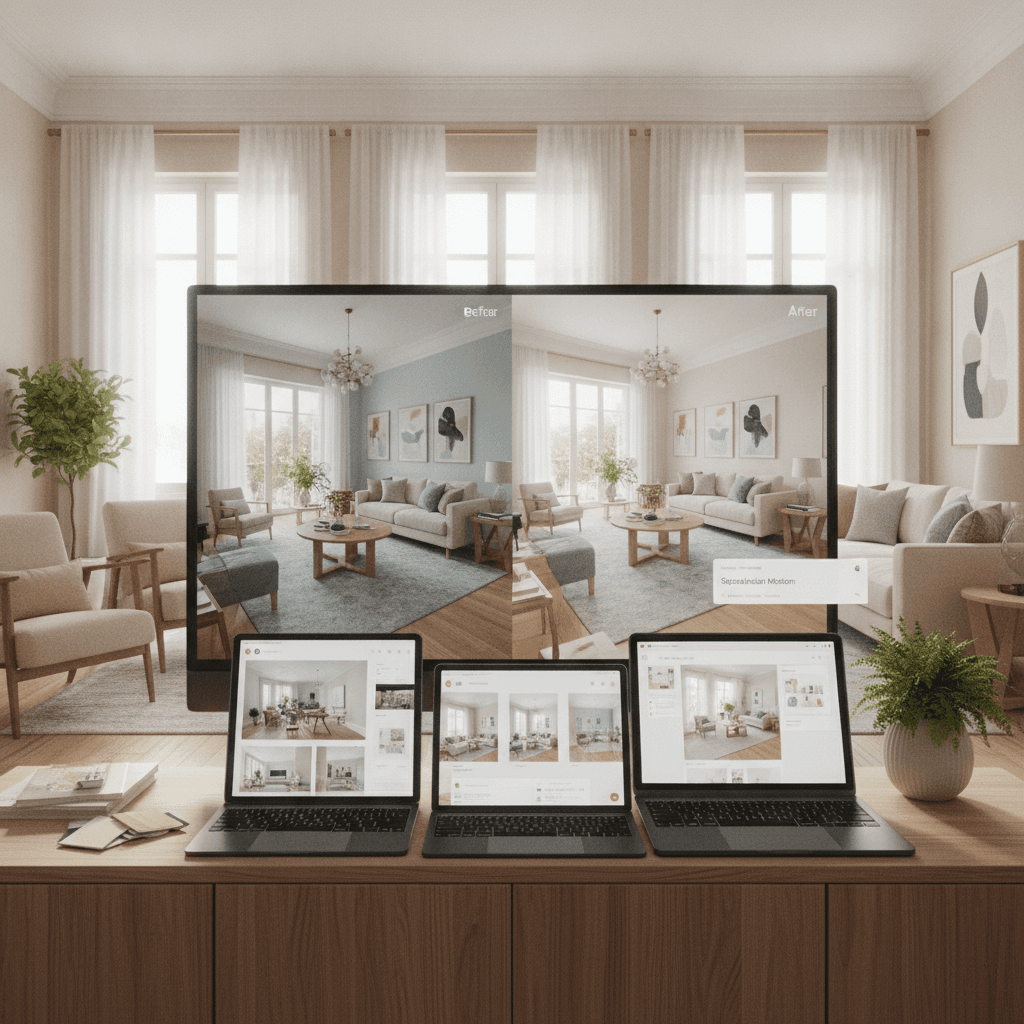
What it is: Roomellow (that's us!) takes a different approach. You upload a photo of your actual room, and our AI analyzes the space. Then, it generates multiple redesign options using real, purchasable furniture from a wide range of furniture stores. Each design comes with a list of products and direct links to where you can buy them. It's essentially an AI room design with real products.
Pros:
- Your room, reimagined: This is the game-changer. You don't have to imagine how a design would look in a generic 3D model; you see it in your actual space, with your windows, your wall color, and your architectural quirks. This significantly reduces the guesswork and buyer's remorse.
- Real, purchasable furniture: Every single piece of furniture, from the coffee table ideas to the rug, is a real product from a furniture store. You get direct links, so if you love a design, you can buy it immediately. No more endless searching!
- Actionable designs: We're not just giving you inspiration; we're giving you a shopping list and a visual blueprint. This is an interior design app with free real furniture that truly delivers.
- Ease of use: Upload a photo, get designs. It’s incredibly straightforward, even for total design novices. You can also specify your desired style, like modern or scandinavian, and Roomellow will tailor the designs.
- Mix-and-match made easy: One of the hardest parts of design is knowing how to mix and match furniture without it looking chaotic. Roomellow does the heavy lifting, showing you cohesive designs with varied pieces. For instance, we're big proponents of skipping the matching sofa and loveseat set; a fabric sofa paired with a leather accent chair gives a room far more visual interest. Roomellow helps you visualize these combinations.
Cons:
- Less "abstract art" creativity: While Roomellow can generate diverse styles and creative layouts, it's grounded in realism. It won't create a fantastical floating crystal palace – it focuses on actual, achievable room redesigns.
- Relies on good input photos: The better your room photo, the better the AI can interpret and redesign your space. A blurry, dark photo might yield less precise results.
- AI still has limits: Occasionally, the AI might make a quirky choice (e.g., a too-small rug), but you can generate new options or edit details. For example, we're fairly opinionated about rugs: a 9x12 rug under a sectional is non-negotiable for most living rooms to ensure all front legs of major pieces are on it. An 8x10 works for a standard sofa. If Roomellow gives you a smaller rug, you can ask for a different size.
When to use it: When you're ready to actually redesign your room – be it a living room, bedroom, dining room, or office – and you want concrete, actionable design options with real furniture that you can buy. If you want to see how that mid-century velvet sofa from Article would look with a natural-wood coffee table from Albany Park, Roomellow is designed for you. It's especially useful for anyone wondering how to design a room when you don't know where to start.
Choosing the Right Tool for Your Project
So, which AI tool is best for you? It really boils down to your goal.
- For Pure Vision & Mood Boards: If you're just exploring concepts, dreaming big, and want to create a general aesthetic without worrying about real-world products, lean into the generative AI tools like Midjourney or DALL-E. They are incredible for sparking imagination.
- For Basic Layout & Space Planning: If your primary concern is figuring out how to arrange furniture, ensure proper clearances, or understand if a specific size of bed will fit, a 3D room planner might be helpful. They're good for the foundational, architectural aspects of design.
- For Actionable, Real-World Redesigns: If you want to see your room transformed with actual furniture you can buy, and you're tired of guessing if a piece will look good or fit your style, Roomellow is the clear winner. We remove the biggest headache of interior design: visualizing the end result with real products. Whether you're doing a modern living room makeover or designing your first apartment, getting a visual with real items makes all the difference.
We see the same pitfalls over and over when people redesign a room on their own. They buy furniture they love individually, but then realize it doesn't work together. Or they pick a paint color that looks great in the store, but terrible on their walls. AI, especially tools like Roomellow, helps mitigate these risks by showing you the whole picture before you commit.
Consider the classic dilemma of finding the right sofa. You need to think about material (velvet for drama, performance fabric for kids and pets), size (will a standard three-seater fit, or do you need a compact sectional sofa for small living room?), and style. Roomellow lets you see these options in your space, complete with specific products from stores like Article, Poly & Bark, Albany Park, and dozens more. This level of detail isn't just convenient; it's empowering. It transforms the overwhelming process of home decor into a fun, guided experience.
Ultimately, the "best" AI interior design tool is the one that directly addresses your needs. For most people looking to actually redesign a room and buy furniture, we believe that means a tool that bridges the gap between AI generation and real-world shoppability.
Ready to redesign your room?
Upload a photo of your room and get a professional AI redesign with real furniture you can buy. Free to try — no credit card required.
Try Roomellow free