AI Home Design App: Revolutionize Your Room with Smart Tech
Struggling with design? Discover how an AI home design app can transform your space. Visualize new layouts and styles with ease. Get started today!
By Roomellow Team
Designing a room can feel like staring at a blank canvas with a million options and no clear direction. You know what you don't like – that hand-me-down sofa that swallows the entire living room, the mismatched nightstands, the general feeling of "unfinished." But translating those vague desires into a cohesive, beautiful space that feels like you? That's where most of us hit a wall. It’s expensive, time-consuming, and honestly, a bit intimidating to commit to a new sofa without knowing if it will actually fit, much less look good, in your space.
That’s where the idea of an AI home design app really shines. For years, professional interior designers were the gatekeepers of beautiful spaces, and for good reason—they have the eye, the experience, and the software. Now, technology is stepping in to democratize that process, putting powerful visualization tools right into your hands. But it’s not magic, and knowing how to best use these tools makes all the difference between a frustrating exercise and a genuinely inspiring design journey.
What an AI Home Design App Actually Is (and Isn't)
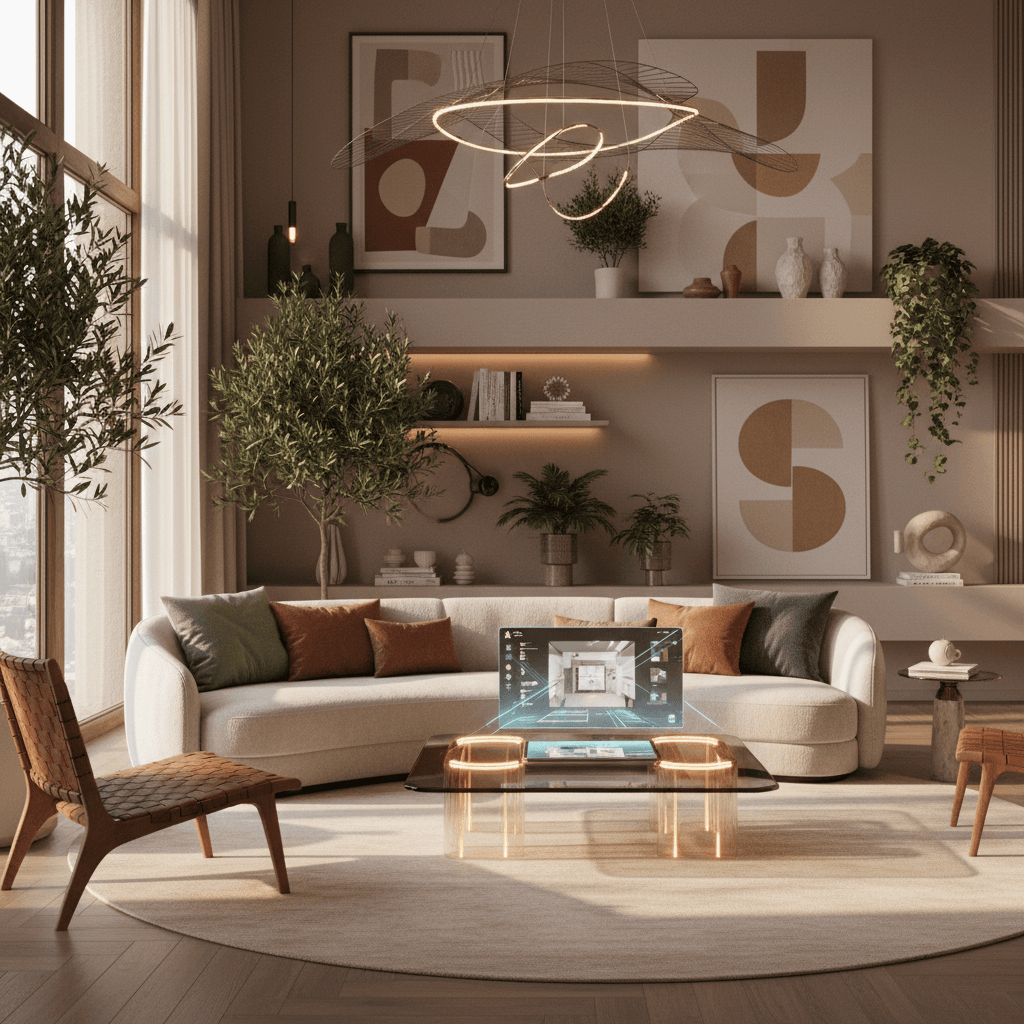
At its core, an AI home design app like Roomellow takes a photo of your existing room and, using artificial intelligence, generates a new design for it. This isn't just a fancy mood board; it’s an actual rendering of your room with new furniture, decor, and sometimes even updated wall colors or flooring. The key here is the "AI" part: it learns from vast datasets of existing interiors and design principles to suggest layouts, styles, and specific products that might work in your space.
What it isn't, however, is a replacement for your own taste and judgment. Think of it as an incredibly skilled, lightning-fast design assistant, not a mind-reader. It can suggest a gorgeous modern living room with a sleek sectional and a minimalist coffee table, but it can’t know that you secretly prefer a cozy bohemian vibe with plush textures and an eclectic mix of patterns. The best results come when you guide the AI with a clear understanding of what you’re looking for.
Beyond the Hype: How an AI Home Design App Can Truly Help You
Before diving into the "how-to," let's unpack the specific, actionable ways an AI home design app can be a game-changer for your next refresh or complete overhaul.
1. Visualizing Without Commitment (and Cost)
This is perhaps the biggest draw. How many times have you fallen in love with a piece of furniture online, only to second-guess if it will fit, if the color is right, or if it will clash with your existing pieces? With an AI design app, you can "try on" different sofas, rugs, lighting fixtures, and even full room layouts virtually.
Imagine considering a deep emerald velvet sofa from West Elm. Instead of endlessly scrolling through customer photos trying to gauge scale, you upload a photo of your actual living room, tell the app you’re interested in a dark green velvet sofa, and instantly see it rendered in your space. You can see how much floor space it takes up, how the light hits it, and how it interacts with your existing walls and windows. This immediate visual feedback saves you from expensive mistakes and the headache of returns.
2. Exploring Styles You Never Considered
Maybe you’ve always gravitated towards farmhouse, but part of you wonders if a more mid-century modern look could work. An AI design app can quickly generate options in various styles, showing you what your room would look like with sleek Scandinavian lines, or the rich textures of a bohemian retreat. This exploration can be incredibly freeing, helping you discover aesthetics you didn’t even know you loved, or confirming your initial preferences with concrete visuals. It’s like having an infinite portfolio of /living-room or /bedroom transformations at your fingertips.
3. Smart Product Sourcing and Budgeting
Many advanced AI home design apps, like Roomellow, don't just show you generic furniture; they populate your redesigns with real, purchasable items from various furniture stores. This means you’re not just looking at pretty pictures – you’re seeing a Crate & Barrel coffee table, a Wayfair rug, or a lighting fixture from Article.
This feature is invaluable for budgeting. You can specify a budget range, and the app will suggest items that fit, helping you understand what kind of look you can achieve at different price points. It’s an efficient way to discover new brands or find similar-looking items across stores to compare costs. For example, if you love a particular look but the sofa is out of budget, the AI might suggest a similar style from a more affordable retailer. This can be especially helpful when working on a tight timeline or if you're exploring Interior Design on a Budget: How to Style Your Room Without Overspending or First Apartment Decorating: Essential Ideas & Budget Tips.
4. Overcoming Decision Paralysis
The sheer number of choices in home design can be overwhelming. Do you go with a neutral palette or introduce a bold accent wall? Should your /coffee-table-ideas be round or rectangular? An AI design app provides a starting point, a visual anchor that you can then refine. It gives you something concrete to react to, allowing you to say, "I love that layout, but I want a lighter rug," or "That sofa is perfect, but I'd prefer a different color." This iterative process streamlines decision-making, moving you from indecision to clarity much faster than traditional methods.
The Practicalities: How to Get the Most Out of Your AI Design Experience
An AI design app is only as good as the input it receives and how you interpret its output. Here’s how to maximize your results:
1. Prep Work is Key: The Photo and Measurements
Garbage in, garbage out. A blurry, dark photo taken from a strange angle will yield a poor AI design.
- Take a well-lit, clear photo: Use natural light if possible. Stand in the doorway or a corner to capture as much of the room as you can.
- Clear the clutter: Temporarily remove anything that isn’t structural or integral to the room (like stacks of magazines or laundry). This gives the AI a clean slate.
- Measure everything: The app needs dimensions to accurately scale furniture. Measure your room's length, width, and ceiling height. Note window and door placements and their dimensions. If you have existing furniture you want to keep, measure that too. This precision ensures the suggested pieces will actually fit.
2. Understanding Your Style: What Do You Truly Like?
Before uploading, spend some time defining your aesthetic. This doesn't mean you need a design degree, but a general direction helps.
- Browse inspiration: Look at sites like Pinterest, Instagram, or even Roomellow's own blog posts (check out Interior Design Trends 2026: Try Them in Your Room Before Committing or Modern vs Farmhouse Interior Design: Which Style Is Right for You?). Save images that resonate with you.
- Identify keywords: Do you prefer "cozy," "minimalist," "bright," "dramatic," "eclectic"? These words will help you guide the AI.
- Think about function: Is this a bustling living room for family movie nights, a quiet bedroom retreat, or a productive home office? Function dictates furniture choices and layout. For office ideas, see Boost Productivity: Home Office Setup Ideas for Success.
3. Start with the Staples, Then Layer
Don’t try to redesign every single detail at once. Focus on the foundational pieces first.
- Living Room: Sofa, rug, coffee table. These set the tone. Read Expert Guide: Choose the Right Sofa for Your Living Room.
- Bedroom: Bed, nightstands, dresser. See Unlock Your Dream Retreat: Essential Bedroom Ideas & Design Tips for inspiration.
- Dining Room: Dining table and chairs. If you’re into farmhouse, check out Farmhouse Dining Room Decor Guide: Create a Timeless Space.
Once you have these big items visualized and you're happy with the general layout, then you can move on to accessories, lighting, and wall decor. The AI can help with these layers too, suggesting artwork, throw pillows, and lamps that complement the larger pieces.
A Designer's Corner: My Specific Design Tips When Using AI for Your Home
Here’s where my designer brain kicks in. Using an AI app makes it easy to visualize, but a good designer's eye ensures those visualizations are actually good designs.
1. The Rug Rule: Size Matters, Always.
This is non-negotiable for me. A rug is the anchor of a room, especially in a living space.
- Under a sectional: A 9x12 rug is the minimum for most sectionals, ensuring at least the front two feet of the sofa sit on the rug, and ideally all legs of armchairs do too. A small 8x10 rug under a large sectional will look like a postage stamp and make the room feel disjointed.
- Under a full sofa and two chairs: Again, a 9x12 is usually best. All legs of the sofa and chairs should be on the rug, or at least the front two legs.
- Dining room: The rug needs to be large enough for all chair legs to remain on the rug even when pulled out. For a standard 6-8 seater dining table, this usually means an 8x10 or 9x12. Using an AI app to visualize different rug sizes can highlight just how dramatically an appropriately sized rug improves a space.
2. Layer Your Lighting
No single overhead fixture can properly light a room. You need layers:
- Ambient: Your general overhead light (flush mount, chandelier). This provides overall illumination.
- Task: Directed light for specific activities (floor lamp by a reading chair, desk lamp for an /home-office-accent-wall, pendant lights over a kitchen island).
- Accent: Decorative lighting to highlight features or create mood (table lamps, picture lights, sconces). An AI app can suggest various types of lighting, allowing you to see how different fixtures contribute to the overall ambiance. For example, you can see how adding a pair of tall buffet lamps to your dining room would elevate the space compared to just a single overhead chandelier.
3. Mix, Don't Match (Especially with Furniture Sets)
I’m going to be blunt: avoid matching furniture sets. While they seem convenient, they often result in a flat, uninspired look. Your home should look curated over time, not like a showroom display.
- Instead of a matching sofa and loveseat: Pair a fabric sofa (like a deep green velvet) with a cognac leather armchair from a different collection. The varied textures and materials add depth and personality.
- In the bedroom: Skip the matching bed frame, dresser, and nightstand set. Opt for a beautiful upholstered bed, then choose wood nightstands with a unique detail, and a dresser in a contrasting finish or style (e.g., a vintage piece). For more inspiration, check out Bedroom Makeover on a Budget: Transform Your Room Cheaply or Leather & Oak Scandinavian Bedroom Furniture Sets Reveal. An AI app can help you experiment with mixing and matching, showing you how different pieces from various stores can come together harmoniously. You can input specific items you love from different sources and see them together in your room.
4. Material Matters: Understand Your Choices
The materials you choose impact aesthetics, durability, and maintenance.
- Upholstery:
- Linen: Beautiful, natural, but prone to wrinkles and can stain.
- Velvet: Luxurious, soft, but can show marks and trap pet hair.
- Bouclé: Incredible texture, very popular, but a nightmare if you have pets or small children due to snagging and difficulty cleaning.
- Performance fabrics (like Crypton or Sunbrella): Essential for busy households with kids or pets. They resist stains and wear incredibly well.
- Leather: Durable, develops a beautiful patina, easy to clean (great for pets!), but can be a significant investment. Read about our Leather & Walnut: A Scandinavian Living Room Makeover.
- Wood:
- Walnut: Rich, warm, deep tones. Mid-century modern favorite. (See Warm Walnut & Clean Lines: A Modern Living Room With Three Pieces).
- Oak: Lighter, more prominent grain. Great for Scandinavian or natural styles.
- Mango/Teak: Often used for more rustic or bohemian pieces. Knowing these nuances helps you choose furniture that not only looks good but also suits your lifestyle. An AI app can show you options, but you'll need to layer in your practical knowledge about durability and maintenance.
5. Scale and Proportion: The Silent Design Killer
This is where many DIY designers go wrong. A common mistake is filling a small room with oversized furniture or vice-versa.
- Small rooms: Opt for leggy furniture (sofas, tables with exposed legs) which allows light and sightlines to pass underneath, making the room feel more open. Avoid bulky, skirted pieces. Consider multi-functional items. See How to Design a Small Living Room (Without Making It Feel Cramped) or Best Furniture for Small Apartments: Maximize Your Tiny Space.
- Large rooms: Don't just push everything against the walls. Create zones (e.g., a main seating area, a reading nook). Use larger-scale art and accessories to fill the vertical space. An AI design app is fantastic for visually demonstrating scale. You can immediately see if that huge sectional from Macy's makes your 10x12 living room feel cramped, or if that tiny coffee table from Target looks lost in your expansive space. It can help you find products that are proportional to your room, avoiding that awkward "too big" or "too small" feeling. For tips on making rooms feel larger, check out Small Room? Make it Look Bigger! Expert Design Secrets Revealed.
6. Don't Fear Color (But Be Intentional)
Color is deeply personal, and an AI app can show you an incredible range of possibilities.
- Start with a base: Choose a neutral foundation for walls and large furniture (whites, creams, grays, light wood tones).
- Introduce color through accents: Pillows, throws, artwork, a single accent chair, or even a bold rug.
- Consider mood: Blues and greens are calming (great for bedrooms, see Expert Bedroom Color Ideas: Create Your Dream Sanctuary). Yellows and oranges are energizing. Reds can be dramatic.
- Test it out: With an AI app, you can easily swap out a blue sofa for a mustard one, or change a wall color from sage to terracotta, giving you instant visual feedback before you commit to painting or purchasing. For more color inspiration, dive into Transform Your Living Room: Best Color Schemes & Combinations.
Using an AI home design app isn't about letting a computer do all the work; it's about harnessing a powerful tool to bring your vision to life with unprecedented speed and visual clarity. It empowers you to experiment, learn, and make informed design decisions that lead to a home you truly love.
Ready to redesign your room?
Upload a photo of your room and get a professional AI redesign with real furniture you can buy. Free to try — no credit card required.
Try Roomellow free